
Vampire · Male · Original Character
Alric - The Vampire King
Public Original Character profile observed on 19 October 2026.
Feature map · reviewed October 19, 2026
Hammer AI is a multi-route AI interface rather than one fixed model. The desktop app can run local language models, while hosted chat, mobile access, image generation and speech depend on online services to different degrees. Picking the route first prevents a common mistake: assuming every feature has the same privacy, hardware and pricing conditions.
Independent guide. Commercial images and buttons lead to a separate third-party service.
Quick answer
Hammer AI provides character chat, story and creative interfaces that can connect to local desktop models or hosted services. Its desktop route is the clearest choice for offline-capable chat and control over where inference runs; cloud routes reduce local hardware demands but introduce server, account and policy dependencies. Model names, free allowances, paid plans and mobile availability can change, so this guide focuses on decisions that remain useful even when the catalog moves.[1][2][3]
01 · character browser
A cross-section of original characters visible in the public Hammer AI catalogue on the review date. The cards open the site’s commercial route; names and portraits document the public catalogue rather than guaranteed availability.
Public Original Character profile observed on 19 October 2026.

Public Original Character profile observed on 19 October 2026.

Public Original Character profile observed on 19 October 2026.

Public Original Character profile observed on 19 October 2026.

Public Original Character profile observed on 19 October 2026.

Public Original Character profile observed on 19 October 2026.

Public Original Character profile observed on 19 October 2026.

Public Original Character profile observed on 19 October 2026.

Public Original Character profile observed on 19 October 2026.

Public Original Character profile observed on 19 October 2026.

Public Original Character profile observed on 19 October 2026.

Public Original Character profile observed on 19 October 2026.

Public Original Character profile observed on 19 October 2026.

Public Original Character profile observed on 19 October 2026.

Public Original Character profile observed on 19 October 2026.
01 · mode map
Start with the processing route, then choose a model size. The “best model” depends on the job, available memory, expected response speed, context needs and whether the text can leave the device.
Use this when a modest computer, quick replies and offline access matter more than maximum capability. Smaller or more heavily compressed files are easier to load, but quality can fall as compression increases.[1][4]
Use this for richer writing or more demanding prompts when the machine has enough RAM or VRAM. Larger files take longer to download and can respond slowly when the hardware is close to its limit.[4]
Use this when local hardware is the bottleneck or a hosted feature is required. Review the privacy policy because external AI providers may process or retain inputs and outputs under their own terms.[2][3]
Treat image generation and text-to-speech as separate online products unless the live interface explicitly says otherwise. Current credits, provider rules and plan limits belong in the decision.[3][5]
02 · installation path
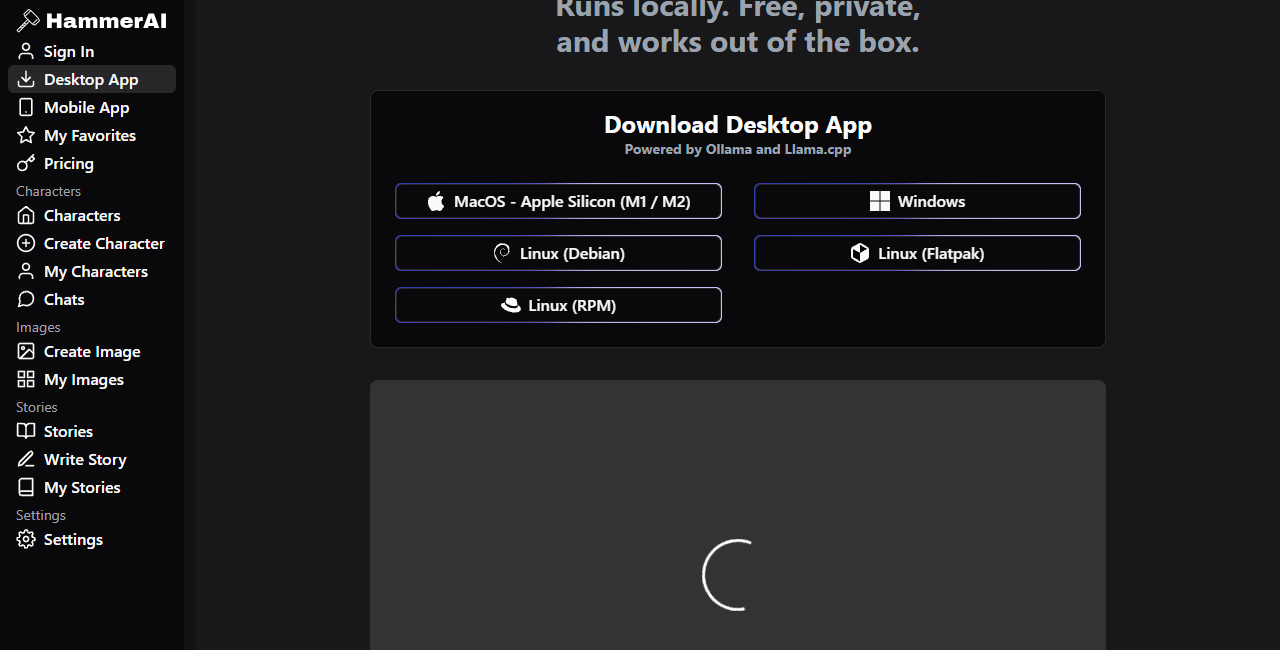
The public desktop page lists Apple Silicon macOS, Windows and several Linux package formats. Use the live official download page so you do not install an obsolete or repackaged file.[1]
Quantized model files trade some quality for lower memory use. Hammer AI's model guide explains that file size must fit available system memory or dedicated graphics memory, with extra room for context.[4]
Run ordinary prompts, note time to first response and watch memory use. A model that technically loads can still be too slow for comfortable chat, especially when context grows.
After the model is downloaded, disconnect the network and send a harmless test prompt. The FAQ recommends this as the practical privacy check for local desktop chat.[2]
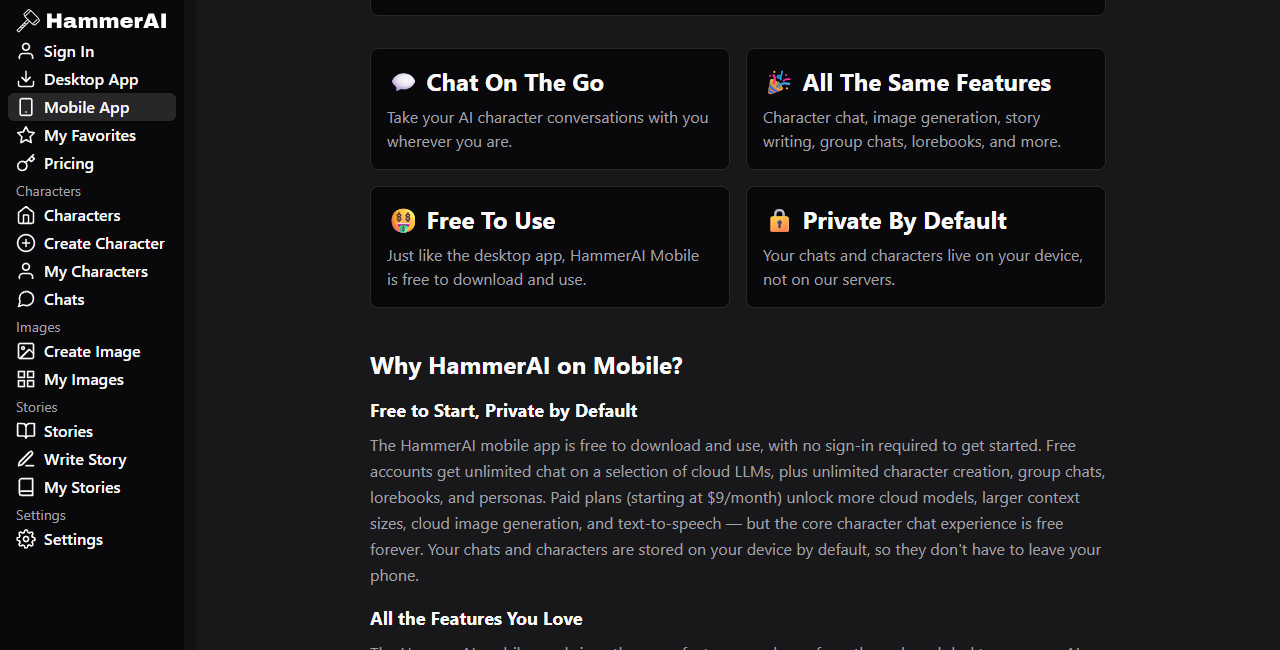
Web and mobile experiences reduce local setup. They are not the same as running a language model on the device, even if chat or character data is cached locally.
Public account wording has changed over time. Check the current sign-in screen and FAQ for the exact model or feature instead of assuming all cloud access follows one rule.[2]
Hosted processing can involve external AI providers, analytics, payment systems or advertising. The current policy is more useful than a short feature card when deciding what text to submit.[3]
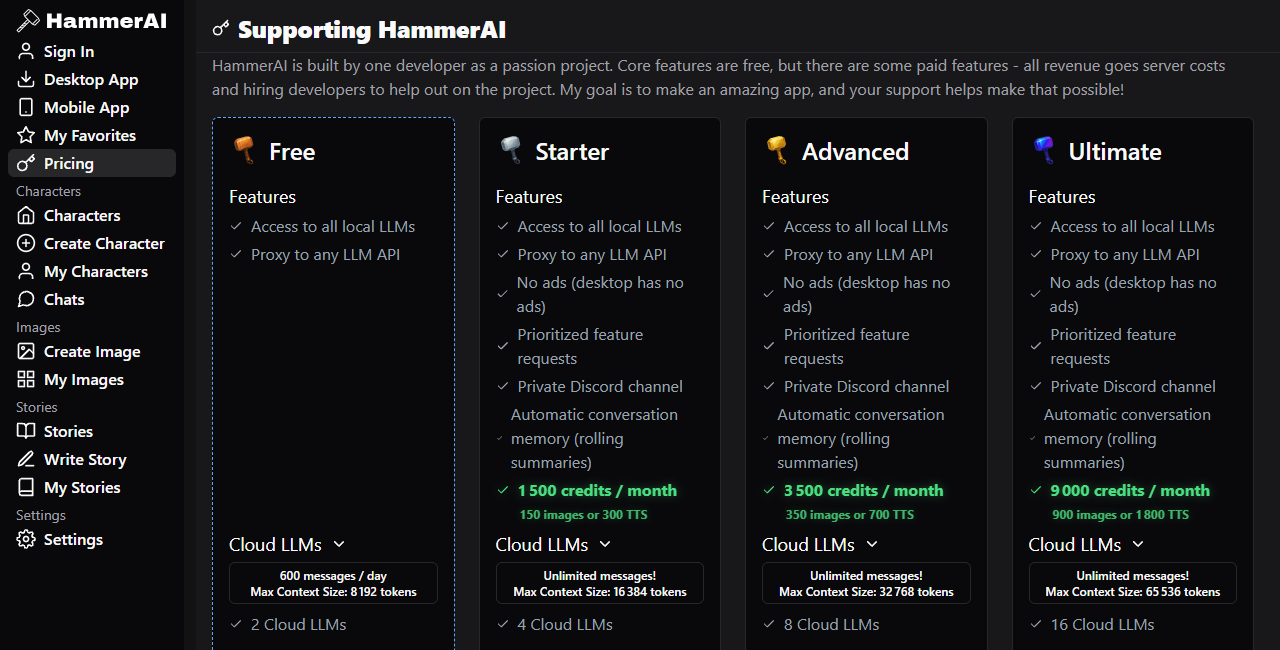
The pricing page contains free and paid plans, model counts, context limits and credit products. These details can move, and even one page can display changing offers, so verify before paying.[5]
03 · feature workflow
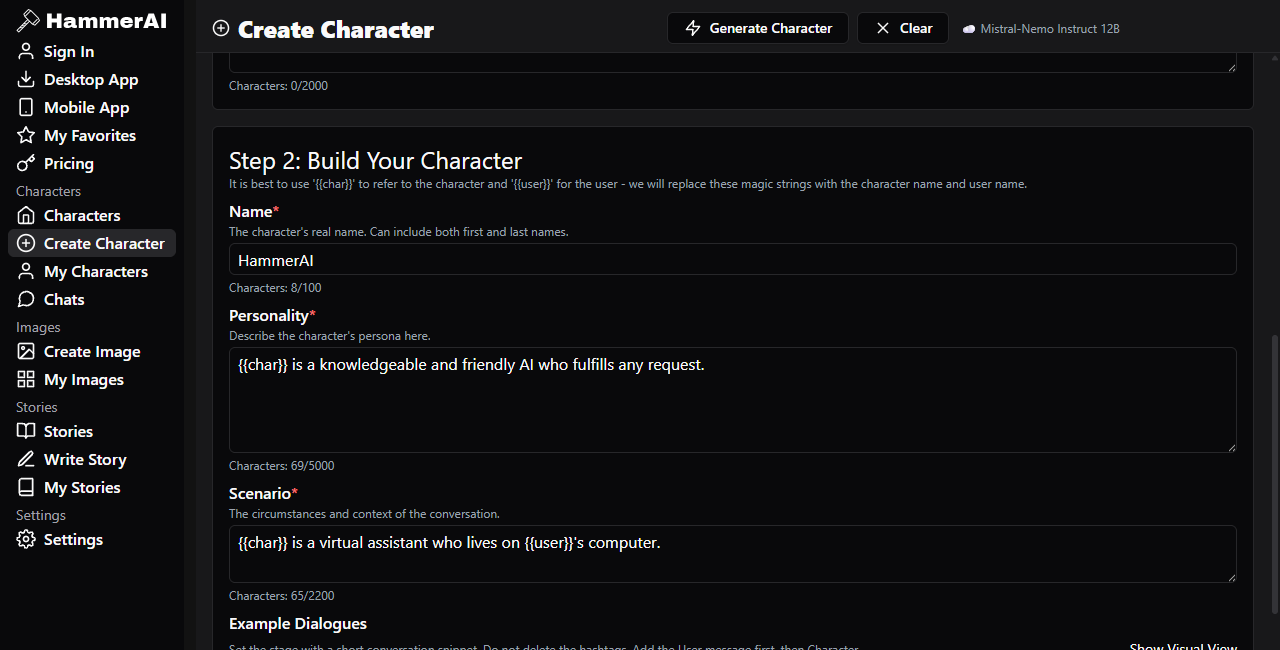
The interface surrounds the selected model with reusable instructions and content. Character fields define a role; scenarios frame the conversation; example dialogs suggest style; lorebook entries add conditional context; sampling controls alter response variation. Those controls can improve consistency, but they cannot guarantee memory, truth or rule-following.
Name, personality, scenario, first-message and example-dialog fields turn a loose idea into a repeatable prompt package. Write concrete behaviors rather than a long list of adjectives.
Lorebooks and active chat history can reinforce names, places and rules. Once relevant material falls outside the active context, the model may forget or contradict it.
Temperature and related controls adjust variation, not intelligence. Change one control at a time and keep a small prompt set for comparing results.
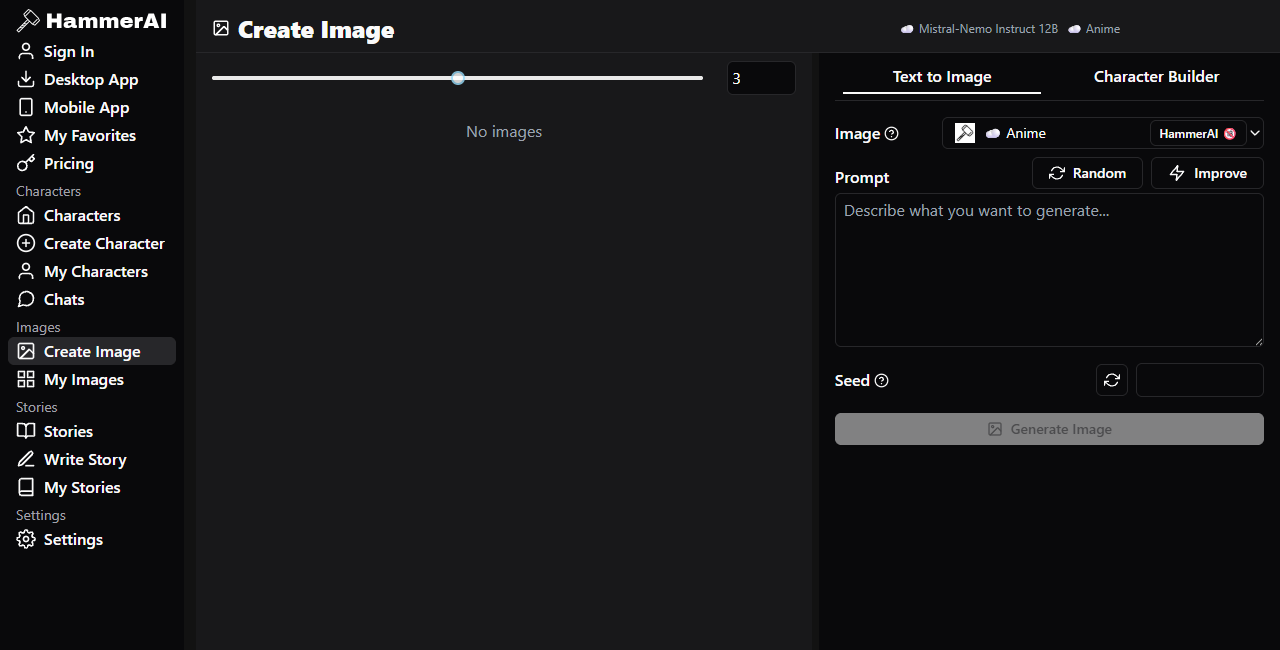
Image and voice features add media to a character workflow, but they can have separate cloud processing, credits and provider terms. Avoid uploading private or rights-sensitive material without checking them.
04 · interface evidence
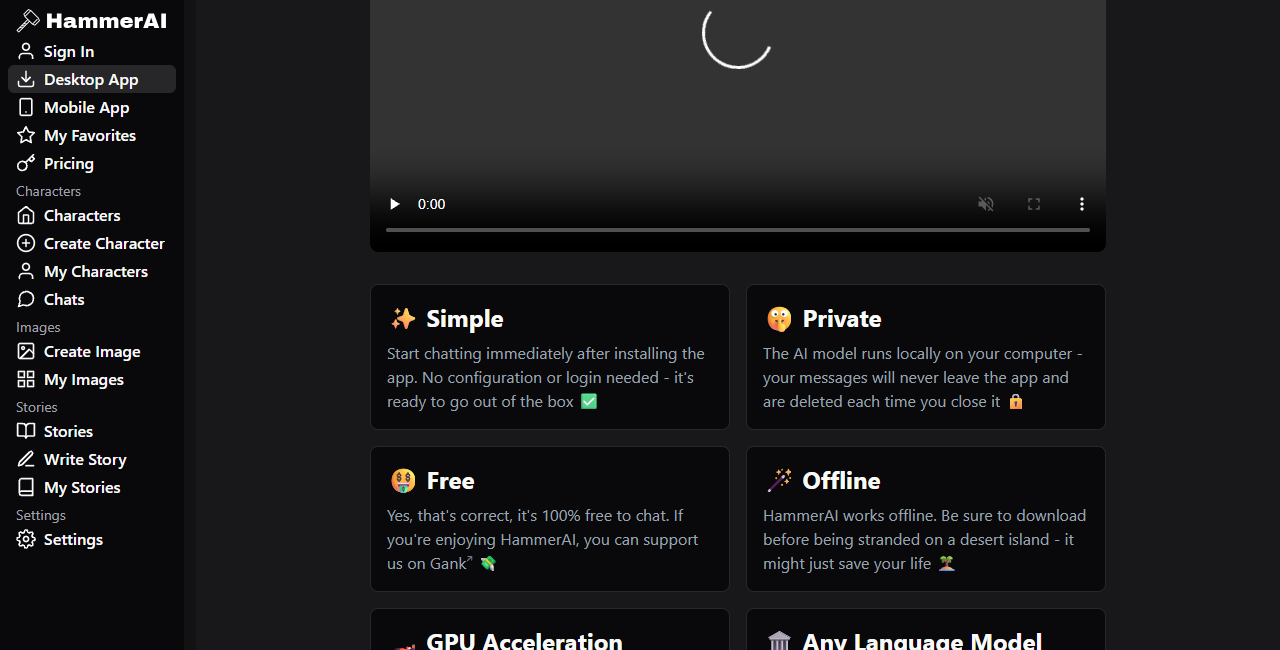
These captures document public interfaces at the review date. They are not performance benchmarks, and a screenshot of a plan, model or store button does not guarantee current availability.
05 · practical fit
The desktop interface lowers the barrier to trying local models. It does not remove hardware limits, model downloads or the need to understand which route is active.
Dedicated persona, scenario and example fields are useful for roleplay design. Users who want perfect long-term memory will still encounter context limits and contradictions.
Story and chat tools can produce alternatives, dialogue and rough structure. They still need human selection, rewriting, fact checking and rights review.
Hosted models may be more practical than forcing a large local model onto a weak machine. That convenience changes the privacy and recurring-cost calculation.
The local desktop route can be verified offline. Users who need one uniform no-network guarantee across chat, images, voice and sync should not assume Hammer AI provides it.
Do not use character output as a substitute for medical, legal, financial, safety or emergency expertise. A polished answer can still be false.
Use local desktop chat when data location and offline access matter and your hardware can run a suitable model. Use hosted tools when convenience or compute matters more, after reading the current privacy and pricing pages. If a task mixes chat, images and voice, evaluate each component separately.
Explore a related AI service06 · common questions
No. It is an interface and workflow layer that can connect to local and hosted models. The active model and processing route matter more than the product name alone.[1][2]
The desktop app can run downloaded local models. Hosted models and online creative services do not become local merely because they appear in the same interface.[1]
Choose a file that fits memory with room for context and performs acceptably on your hardware. Higher compression generally lowers memory use while increasing the risk of quality loss.[4]
Read the live privacy policy. It says external AI providers may process and retain hosted inputs and outputs under their own policies, and some free services may use recent content for contextual advertising.[3]
Local access is promoted as free, while hosted capacity and credits appear in free and paid plans. Exact prices and limits are time-sensitive and should be checked on the official pricing page.[5]
Treat it as generated material that requires review. Models can invent facts, lose instructions, repeat stereotypes or produce unsafe advice regardless of whether they run locally or in the cloud.
07 · sources
Reviewed October 19, 2026. Live product details override captured interfaces. Recheck model catalogs, plan allowances, app availability and provider terms before making a technical or purchasing decision.